
How to Download Threads Videos on Android
Save any public Threads video directly to your Android phone — Samsung Galaxy, Google Pixel, Xiaomi, or any brand. Works in Chrome, no separate app needed. The video goes to your Downloads folder, Files app, or Gallery.
Paste a Threads link above to see download options
Downloading Threads Videos on Android Phones
If you're using a Samsung Galaxy, Google Pixel, Xiaomi, or any other Android phone, saving Threads videos is straightforward. You don't need to install a special app from the Play Store — just use Chrome, which already comes on your phone.
The key difference from iPhone: on Android, downloaded videos usually go straight to your Downloads folder, Files app, or sometimes your Gallery — depending on your phone brand and Android version. We'll show you exactly where to find them on Samsung, Pixel, and other popular brands.
How to Save Threads Videos on Android
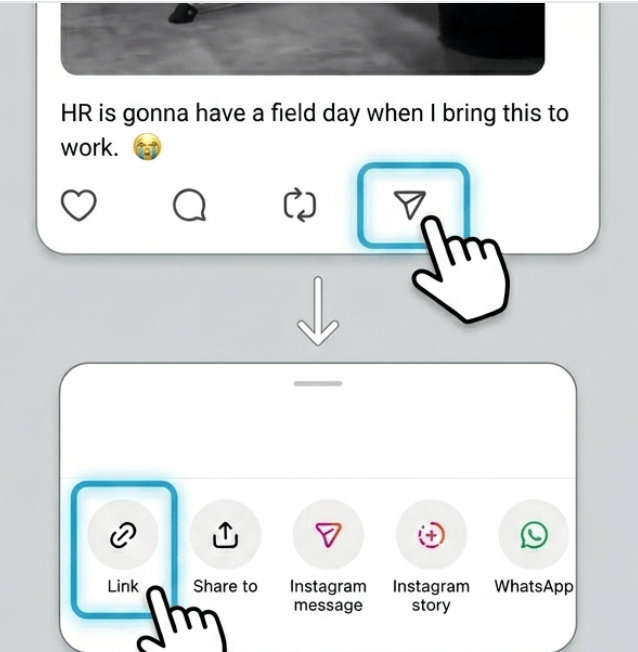
Copy the Threads video link
Open Threads and copy the link from the public video post you want to download.
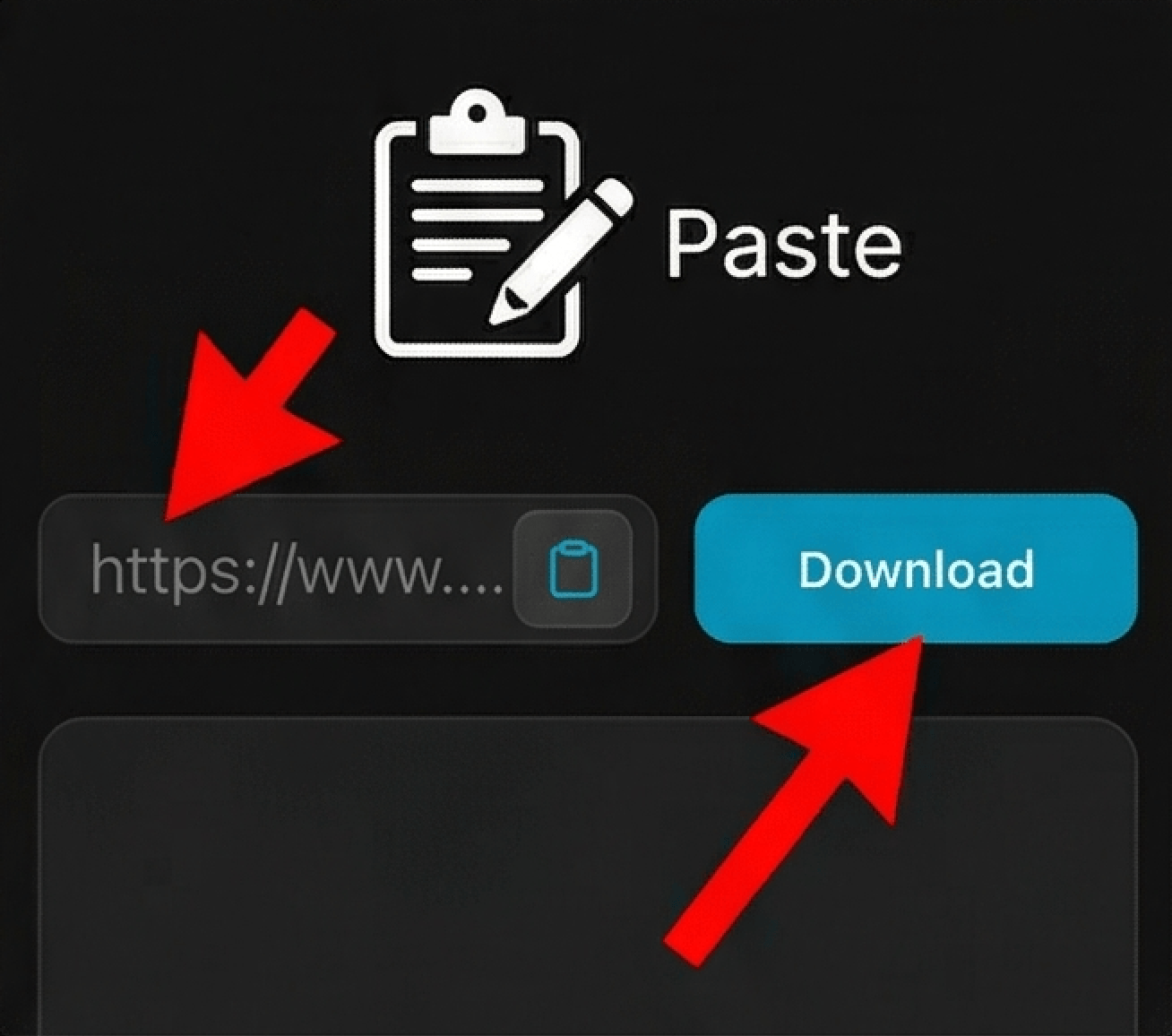
Paste it into the downloader
Open the downloader in Chrome, paste the Threads URL above, and let the tool load the file for download.
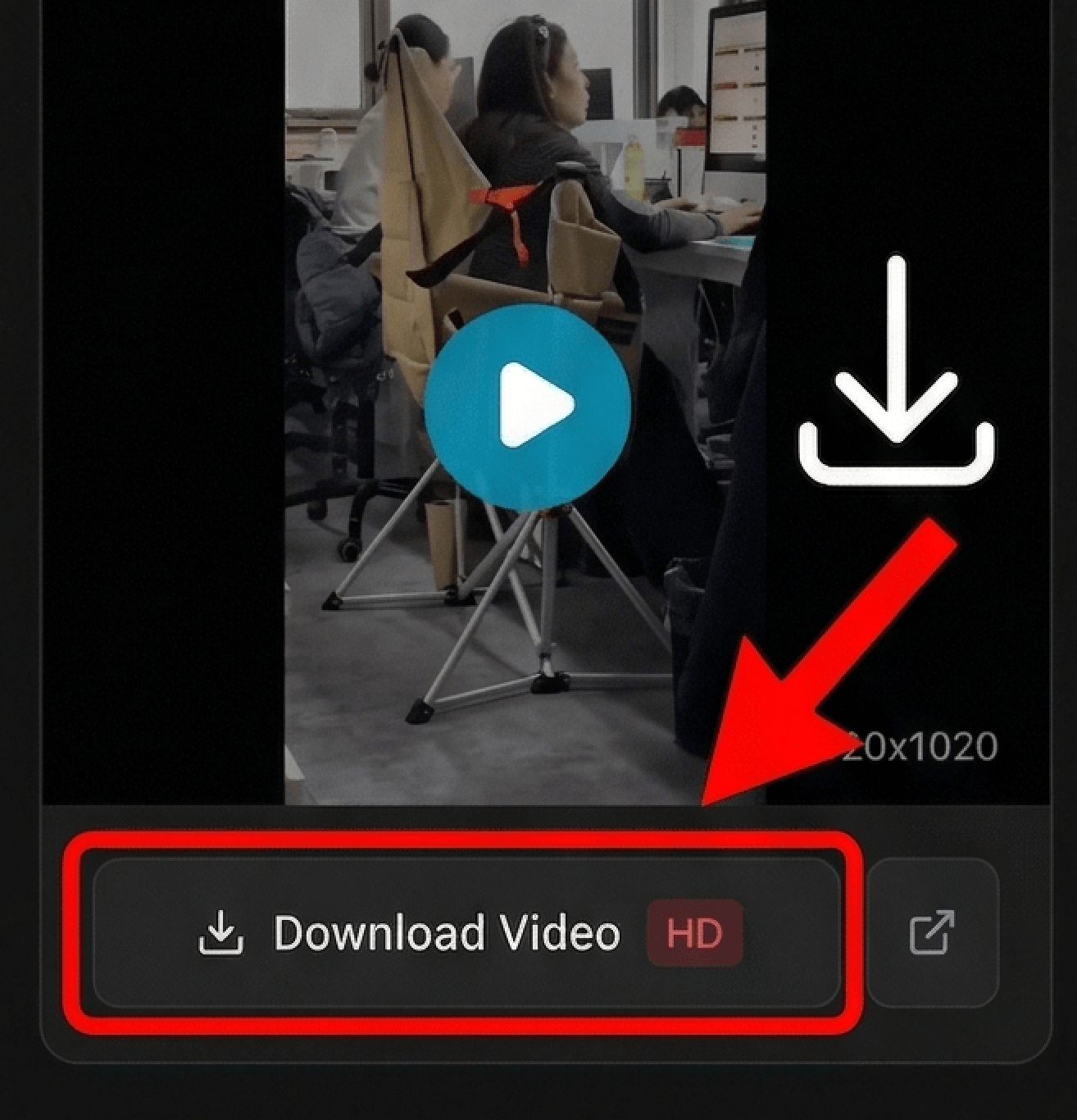
Download the file
Tap Download to save the Threads video or image to your Android phone. On most devices, you can open it right away from Downloads, Files, or Gallery.
Looking for device-specific guides?
Why This Works on Any Android Phone
Works on Samsung, Pixel, Xiaomi & All Brands
Whether you have a Samsung Galaxy, Google Pixel, Xiaomi, OnePlus, OPPO, or any Android phone, the process is the same. Open Chrome, paste the Threads video link, and download the MP4 file.
No Play Store App Required
Your Android phone already has Chrome. No need to hunt for sketchy apps in the Play Store or give unknown apps permission to your photos and storage.
Saves to Downloads, Files, or Gallery
Depending on your Android phone, the video saves to your Downloads folder, Files app by Google, or Gallery. We'll show you where to look on Samsung, Pixel, Xiaomi, and other brands.
Same Quality as the Original
You get the actual MP4 video file from Threads — not a screen recording. Full resolution, no quality loss, ready to watch offline in your video player or share.
Android Download Questions
Where do downloaded videos go on my Android phone?
Does this work on Samsung Galaxy phones?
Can I use this on Google Pixel phones?
What about Xiaomi, Redmi, or OPPO phones?
Do I really not need to install an app from Play Store?
Why can't I find the video after downloading?
Can I move the video to my Gallery or Google Photos?
Does this work for private videos?
What video format do I get on Android?
Download Threads Videos on Any Android Phone
Android users have it easier than iPhone users when it comes to downloading videos. On Android, downloaded MP4 files typically go straight to your Downloads folder or Files app, where you can easily find them using a file manager or your phone's built-in Files by Google app. Unlike iPhone, you don't need to move files from Downloads to Gallery — many Android phones do this automatically.
This method works on every Android brand: Samsung Galaxy S and A series, Google Pixel, Xiaomi, Redmi, OnePlus, OPPO, Realme, and more. Just use Chrome (which comes pre-installed), paste the Threads video link, and download. The MP4 file saves to your Downloads folder, Files app, or Gallery depending on your phone. From there you can watch offline, share via WhatsApp or Telegram, or upload to other platforms.
Disclaimer
ThreadsDL is an independent utility tool and is not affiliated with, endorsed by, or sponsored by Threads, Instagram, or Meta Platforms, Inc. This tool only supports public content that is accessible on the web.